Ethernet
Navigation: Configuration > Network > Ethernet
The Ethernet page configures the link mode for each physical Ethernet port on the IRF1000. By default, all ports operate in automatic mode, which enables auto-negotiation of speed and duplex as well as automatic crossover detection (Auto-MDIX). In most installations, the default setting is appropriate and no changes are required. Manual link mode selection is only necessary when connecting to legacy equipment that does not support auto-negotiation, or when a specific speed and duplex combination must be enforced for diagnostic or compatibility reasons. The port assignment — which physical port serves as WAN and which ports serve as LAN — is determined by the IP configuration page.
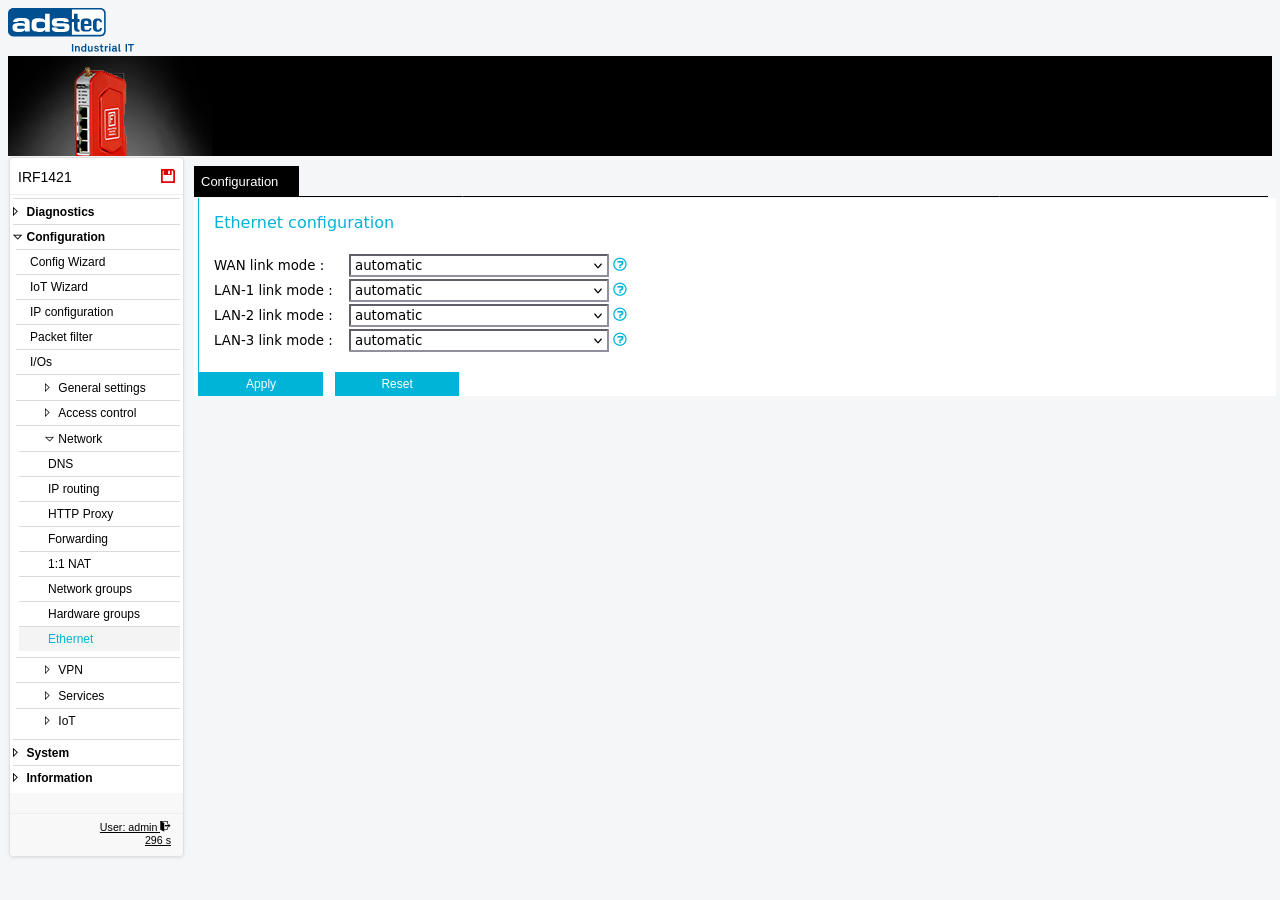
Settings
- WAN link mode
-
Selects the Ethernet link mode for the WAN port.
automatic: The port negotiates speed, duplex, and cable wiring (MDI/MDI-X) automatically with the connected device. This is the recommended setting for all standard installations.
10 Mbit/s half-duplex, 10 Mbit/s full-duplex, 100 Mbit/s half-duplex, 100 Mbit/s full-duplex, 1000 Mbit/s full-duplex: Forces the port to the specified speed and duplex setting. Setting the Ethernet mode to anything other than automatic disables the auto crossover feature (Auto-MDIX) and the port uses MDI instead. A crossover cable may be required when connecting to another device that also uses a fixed link mode.
- LAN-1 link mode
- Selects the Ethernet link mode for LAN port 1. The available options and behavior are identical to those described for the WAN link mode. Setting a mode other than automatic disables Auto-MDIX on this port.
- LAN-2 link mode
- Selects the Ethernet link mode for LAN port 2. The available options and behavior are identical to those described for the WAN link mode. Setting a mode other than automatic disables Auto-MDIX on this port.
- LAN-3 link mode
- Selects the Ethernet link mode for LAN port 3. The available options and behavior are identical to those described for the WAN link mode. Setting a mode other than automatic disables Auto-MDIX on this port.
ATTENTION
Setting a fixed link mode disables Auto-MDIX on the affected port. If the connected device also uses a fixed link mode without Auto-MDIX, a crossover cable is required. A mismatched speed or duplex setting between the IRF1000 and the connected device can cause link failures, excessive packet loss, or severely degraded throughput. Only change these settings when the remote equipment requires it.
Security
Forcing a specific link speed can be used as a hardening measure in high-security environments to ensure that a known physical connection type is maintained. However, in most deployments the default automatic mode is both sufficient and recommended. If individual LAN ports are not in use, consider disabling them at the network level or restricting access via Packet filter rules to reduce the physical attack surface.