Bonding — State
Navigation: Configuration > Network > Bonding > State
The State tab displays the current operational status of the WAN bonding configuration. It provides a read-only overview of the active bonding parameters and link health, allowing operators to verify that bonding is functioning as expected and to diagnose connectivity issues. The bonding mode and associated parameters are configured on the Bonding page.
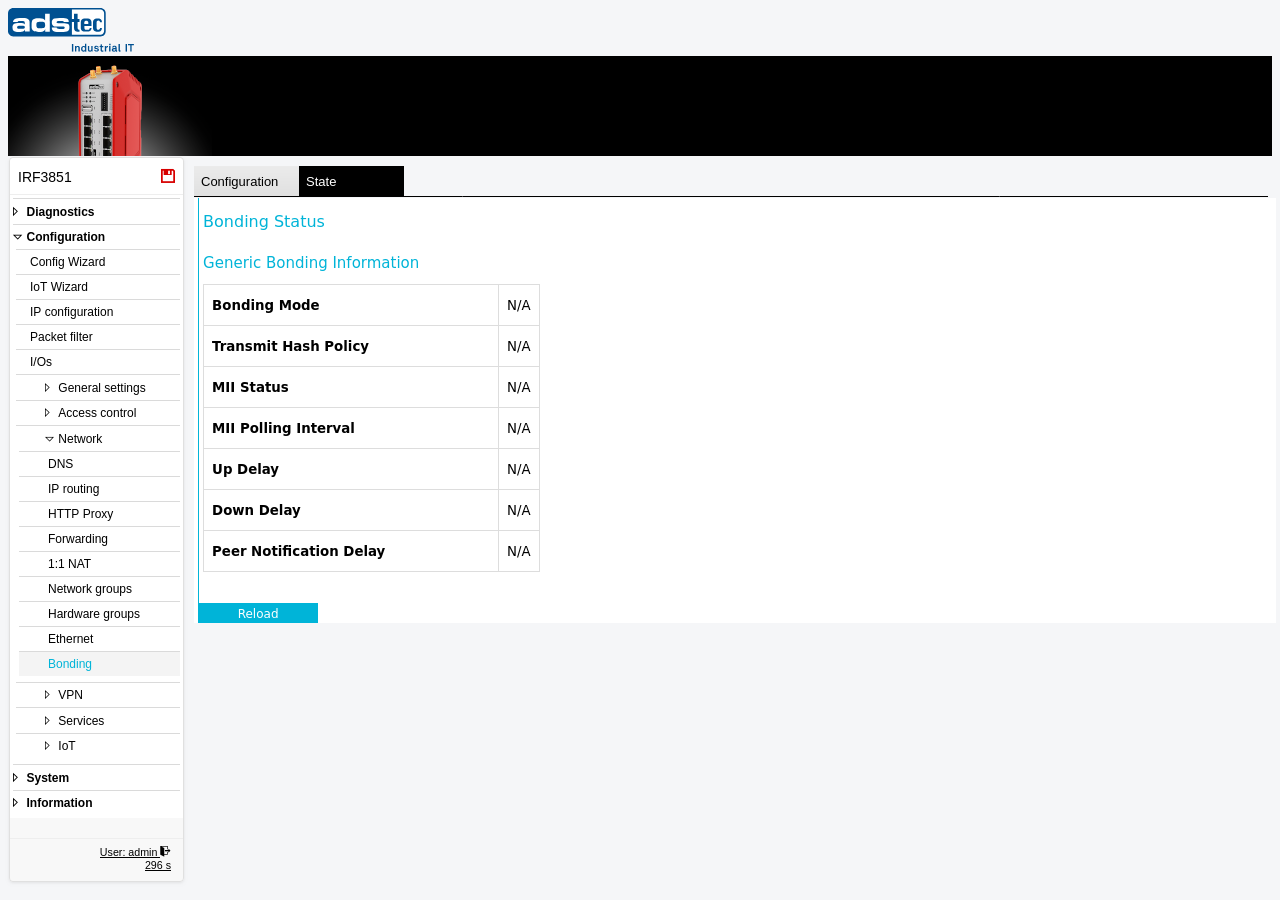
Status display
This tab is a read-only status view. Under the heading "Generic Bonding Information", the page displays the current bonding parameters and link state. When bonding is not enabled, all fields show "N/A".
- Bonding Mode
- Shows the currently active bonding mode (e.g., Active Backup or 802.3ad / LACP). Displays "N/A" when bonding is disabled.
- Transmit Hash Policy
- Indicates the hash policy used for distributing outgoing traffic across the bonded links. This field is relevant in 802.3ad / LACP mode and shows the configured policy (Layer 2, Layer 2 + 3, or Layer 3 + 4). Displays "N/A" when bonding is disabled or when the mode does not use a transmit hash policy.
- MII Status
- Reports the Media Independent Interface (MII) link status of the bonding group. This indicates whether the bonded interface is up or down at the physical layer. Displays "N/A" when bonding is disabled.
- MII Polling Interval
- Shows the configured interval (in milliseconds) at which the link status of the bonded interfaces is polled. Shorter intervals enable faster detection of link failures.
- Up Delay
- Displays the configured delay (in milliseconds) before a newly available link is considered operational. This value corresponds to the Up Delay setting on the Bonding configuration page.
- Down Delay
- Displays the configured delay (in milliseconds) before an unavailable link is marked as down. This value corresponds to the Down Delay setting on the Bonding configuration page.
- Peer Notification Delay
- Shows the delay (in milliseconds) before the bonding driver sends peer notification frames after a failover event. Peer notifications inform upstream network devices (such as switches) about MAC address changes resulting from a link failover.
ATTENTION
The State tab only reflects the bonding status when bonding has been enabled on the Bonding configuration page. If all fields show "N/A", verify that the operational mode is set to IP-Router Extended on the IP configuration page and that bonding has been enabled and applied. For more detailed link diagnostics, consult the Eventlog and the Ethernet page.