Web server
Navigation: Configuration > Services > Web server
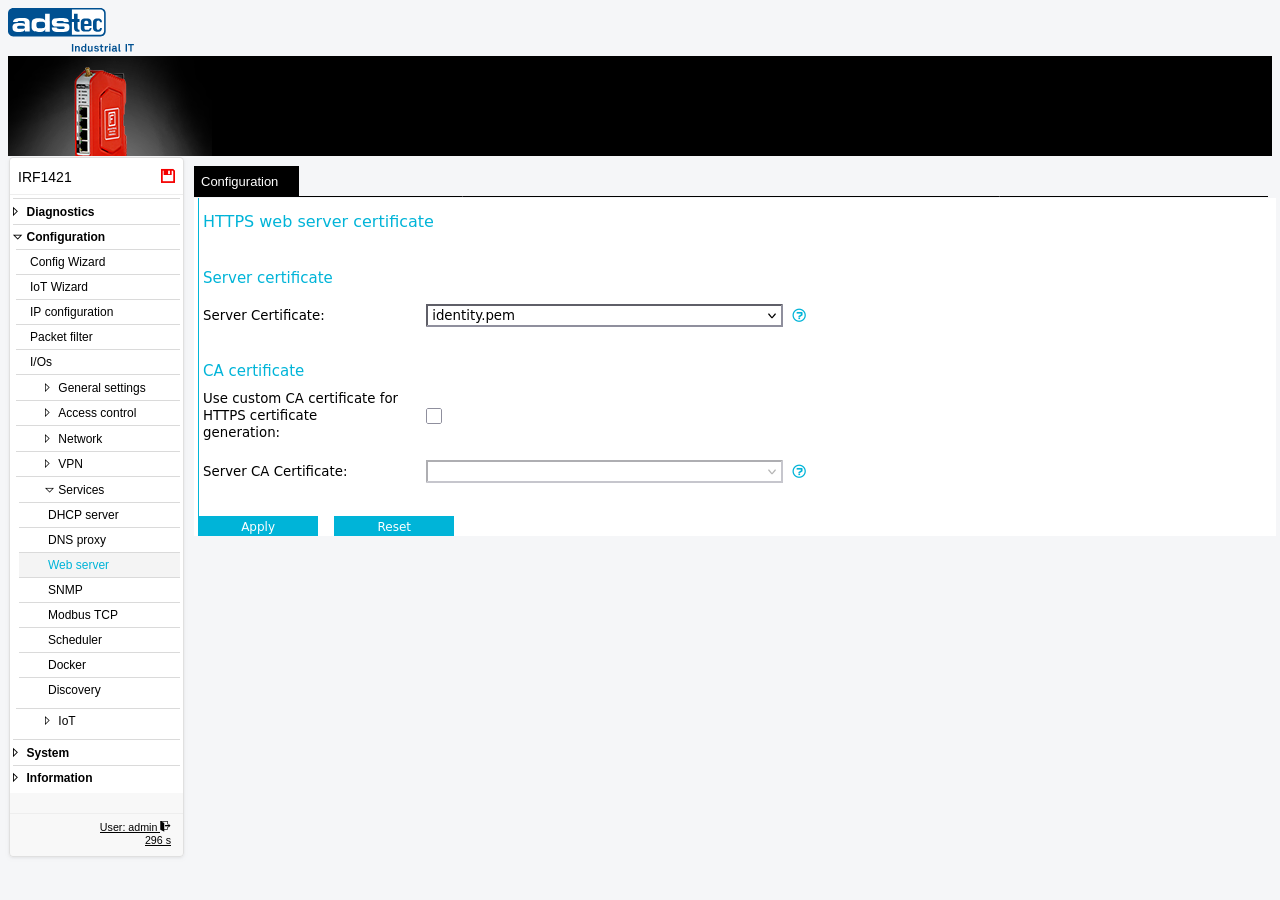
The Web server page configures the HTTPS certificate used by the device's built-in web server. The web server provides the management web interface through which all device configuration is performed. By default, the device uses an automatically generated self-signed certificate (identity.pem) for HTTPS encryption. This page allows you to select a different server certificate and optionally specify a custom Certificate Authority (CA) for automatic certificate generation. Certificates must first be uploaded on the Certificates page before they appear as selectable options here. Access restrictions for the web interface are configured separately on the Web access page. Changes take effect after clicking Apply settings, but must be saved persistently via the Save page to survive a reboot.
Prerequisites
- To use a custom HTTPS certificate, the certificate file must be uploaded on the Certificates page with a valid web server extension.
- To use a custom CA for certificate generation, a CA certificate including its private key must be uploaded on the Certificates page.
Settings
Server certificate
- Server Certificate
- Selects the HTTPS certificate used by the web server. The file identity.pem is an automatically created self-signed certificate generated by the system. Only certificates with a valid web server extension are listed in this dropdown. You can upload your own certificates on the Certificates page.
CA certificate
- Use custom CA certificate for HTTPS certificate generation
- When enabled, the device uses the selected CA certificate to generate its HTTPS server certificate instead of the built-in self-signed CA.
- Server CA Certificate
- Selects the CA certificate used for HTTPS certificate generation. By default, the device generates its identity.pem certificate from a self-signed CA. If you wish to use your own CA, upload a CA certificate including its private key to the device on the Certificates page. Only CA certificates with an available private key are listed.
Security
Replace the default self-signed certificate with a certificate issued by your organization's trusted CA. This prevents browser security warnings and enables clients to verify the identity of the device. If using a custom CA, protect the CA private key and restrict access to the Certificates page to authorized administrators only. Regularly review and rotate HTTPS certificates before expiration to maintain uninterrupted secure access to the web interface. Restrict which networks can access the web interface using the Web access page to limit the attack surface in accordance with IEC 62443 access control requirements.