State
Navigation: Configuration > Network > IP routing > State
The State tab displays the current kernel routing table of the device, providing a complete view of all active routes including statically configured entries, dynamically learned routes, and system-generated routes. This read-only view is useful for verifying that routes configured on the IP routing page are correctly applied and for diagnosing routing issues when traffic does not reach its intended destination. The information reflects the live state of the routing table at the time of loading and can be refreshed at any time.
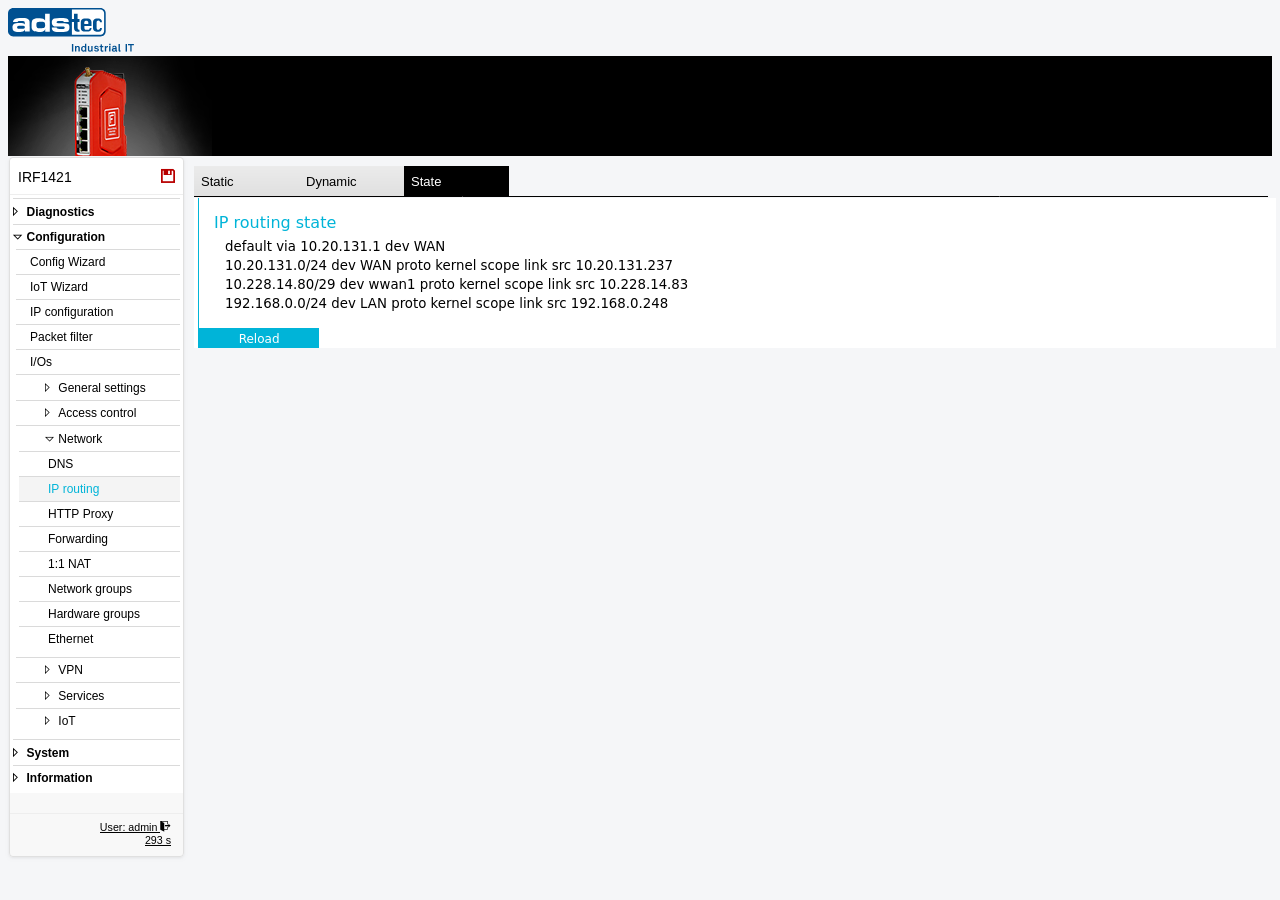
IP routing state
The page displays the kernel routing table as a plain-text listing. Each line represents one active route and includes the following information:
- Destination
- The target network or address for the route. The entry default denotes the default route used when no more specific route matches the destination. All other entries show the destination network in CIDR notation (e.g., 10.20.131.0/24).
- Gateway
- The next-hop IP address to which traffic for the destination is forwarded, indicated by via followed by the gateway address. For directly connected networks, no gateway is shown -- traffic is delivered directly on the attached interface.
- Interface
- The network interface used for this route, indicated by dev followed by the interface name (e.g., WAN, LAN, wwan1). This shows which physical or logical interface carries the traffic for each destination.
- Protocol
- The origin of the route, indicated by proto kernel for routes automatically generated by the operating system based on the interface configuration, or other protocol identifiers for dynamically learned routes.
- Scope
- The scope of the route, such as link for directly connected networks. The scope indicates the distance to the destination -- link means the destination is on a directly attached network.
- Source address
- The preferred source IP address for outbound traffic using this route, indicated by src followed by the IP address. The system uses this address as the source when sending packets via this route, unless overridden by specific application or firewall settings.
Click Reload to refresh the routing table display with the current values from the kernel.
Note
The routing table shown here is a snapshot of the current kernel state. Changes made on the Static tab of the IP routing page take effect after clicking Apply settings and will then appear in this view. Routes that are configured but inactive (disabled) are not shown in this table.