IP routing
Navigation: Configuration > Network > IP routing
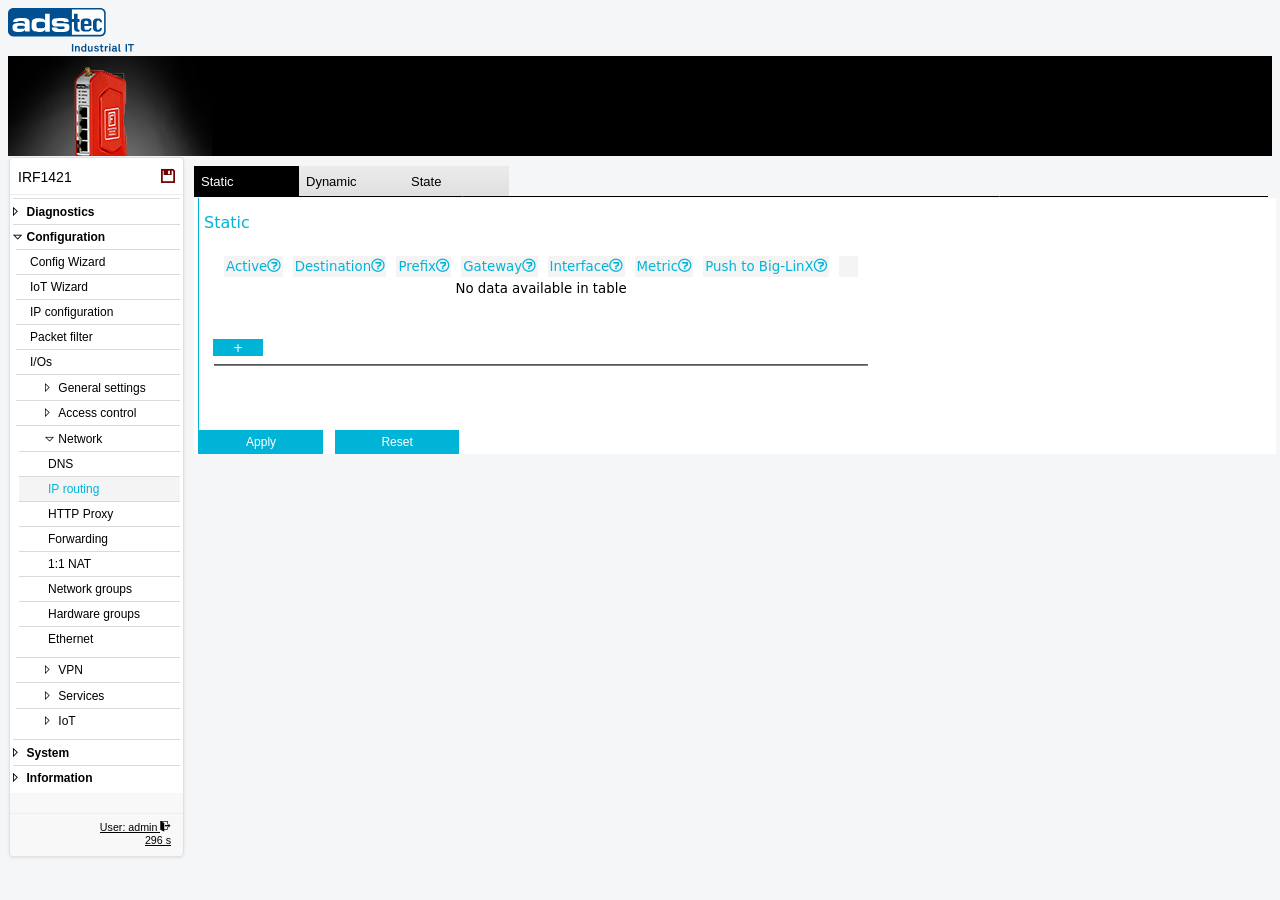
The IP routing page allows the definition of static routes that direct traffic to specific destination networks via designated gateways or network interfaces. Static routes are required whenever the default gateway alone is not sufficient to reach all target networks -- for example, when multiple subnets are connected behind different routers on the LAN side, or when traffic to a specific network must be directed through a VPN tunnel interface. The page also provides a read-only view of dynamically learned routes and the current kernel routing table state. Routes configured here work in conjunction with the network topology defined on the IP configuration page and are evaluated by the Packet filter when determining the path for forwarded traffic. Changes take effect after clicking Apply settings, but must be saved persistently via the Save page to survive a reboot.
Prerequisites
- The device must be operating in IP router mode. Static routes are not applicable in transparent bridge mode. Configure the operational mode on the IP configuration page.
- The gateway IP address for each route must be reachable from one of the device's configured interfaces, unless a device route is used.
- If routes should be propagated to remote VPN clients via Big-LinX, the Big-LinX VPN connection must be configured and active.
Settings
Static
The Static tab contains a table of user-defined static routing entries. Each row represents one route. Use the + button to add a new entry.
- Active
- Enables or disables this static routing entry. Inactive entries remain in the configuration but are not applied to the routing table.
- Destination
- The network address of the destination network, for example 192.168.0.0. This is the target network that should be reached via this route.
- Prefix
- The network mask of the destination network in CIDR notation, for example 8, 16, 24, or 32. Enter the prefix length as a number without a leading slash.
- Gateway
- The IP address of the gateway for this route. All traffic to the specified destination network is forwarded to this gateway. For a device route (where traffic is sent directly out of a specific interface without a next-hop gateway), enter 0.0.0.0.
- Interface
- The network interface for this route. Select * for standard routes that use a valid gateway IP address. Select a specific interface (e.g., the WAN or LAN interface) for a device route where the gateway is set to 0.0.0.0.
- Metric
- The routing metric for this entry. Allowed values are 0 to 100. A lower metric gives the route higher priority when multiple routes to the same destination exist. This field is primarily used in conjunction with dynamic routing. The field is optional and can be left empty.
- Push to Big-LinX
- When enabled, this route is propagated to Big-LinX and its connected VPN clients. This allows remote clients to learn about the destination network behind this device. Note that the routing tables of the devices in the specified subnet may also need to be adapted to ensure return traffic is routed correctly.
Dynamic
The Dynamic tab displays routes that have been learned dynamically, for example through VPN connections or DHCP. These entries are read-only and cannot be edited directly.
State
The State tab shows the current kernel routing table, providing a complete view of all active routes including both static and dynamic entries. This view is useful for verifying that configured routes are applied correctly and for diagnosing routing issues.
ATTENTION
When defining device routes with gateway 0.0.0.0, ensure that the selected interface is correct. Misconfigured device routes can cause traffic to be sent out of the wrong interface, potentially bypassing firewall rules or disrupting network connectivity.
Security
Limit static routes to the minimum required for your network topology. Each additional route can potentially create an unintended path between network segments. When using the Push to Big-LinX option, verify that propagated routes do not expose internal subnets to unauthorized remote VPN clients. Review static routes regularly as part of your IEC 62443 security maintenance procedures.