WAN
Navigation: Diagnostics > WAN
The WAN diagnostics page displays the current status and traffic statistics of the WAN (Wide Area Network) interface. Use this page to verify that the physical Ethernet link is active, confirm the negotiated link speed and duplex mode, and monitor packet counters for signs of transmission errors or network problems. Elevated values for dropped packets, overrun packets, or collisions may indicate cabling issues, duplex mismatches, or network congestion that require further investigation.
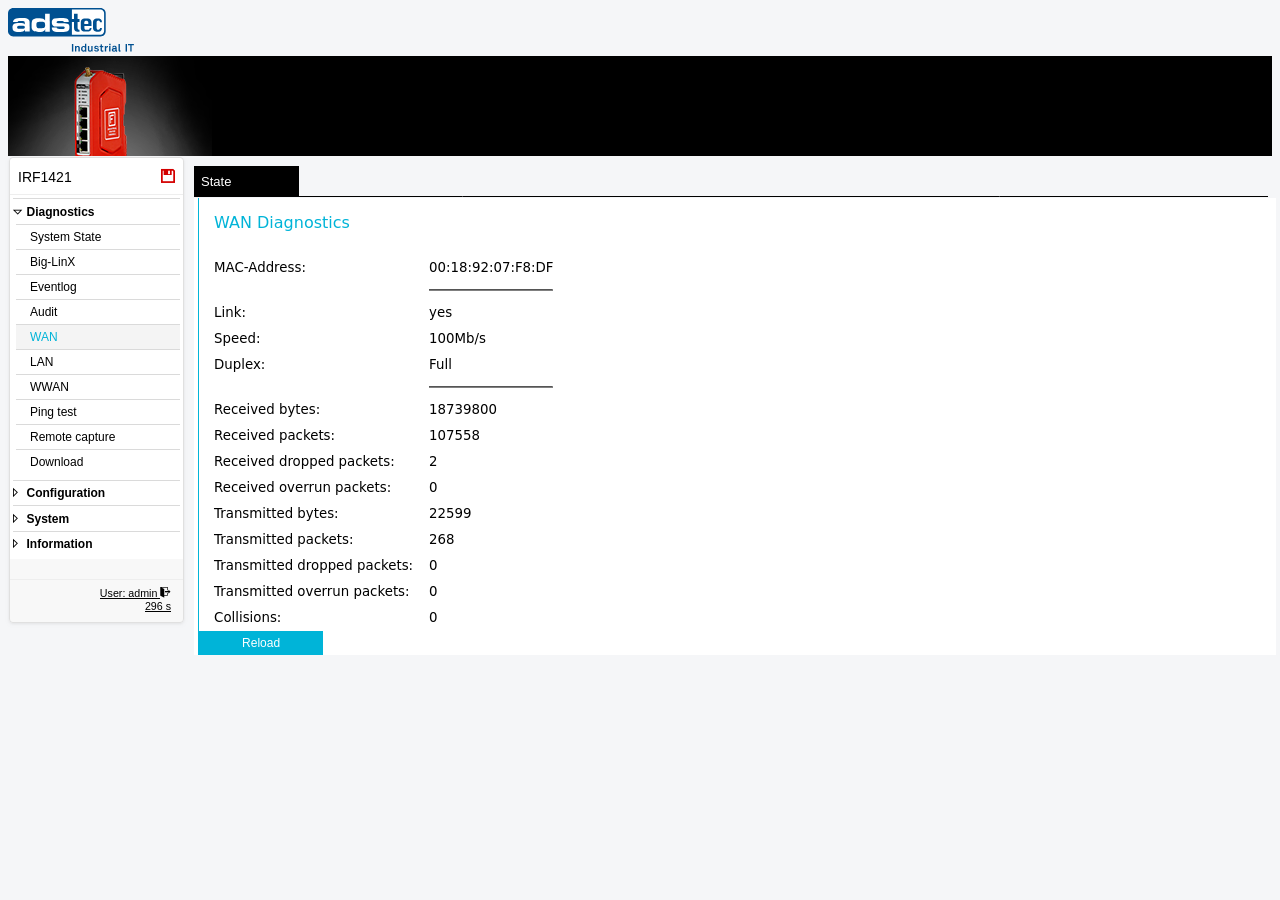
Link status
The upper section displays the physical and link-layer properties of the WAN interface:
- MAC-Address
- The hardware MAC address of the WAN Ethernet interface.
- Link
- Indicates whether a physical Ethernet link is established. A value of yes confirms that the interface is connected to a network device and the link is active. A value of no indicates that no link partner is detected — check the cable connection and the remote switch or router.
- Speed
- The negotiated link speed of the WAN interface (e.g., 10Mb/s, 100Mb/s, or 1000Mb/s). This value is determined during auto-negotiation with the connected network device. If the displayed speed does not match the expected value, verify the capabilities of both the device and the connected switch or router. The link speed can also be configured manually on the Ethernet page.
- Duplex
- The negotiated duplex mode of the WAN interface — Full (simultaneous send and receive) or Half (alternating send and receive). Full duplex is standard for modern Ethernet connections. A half-duplex link may indicate a duplex mismatch, which can cause significant performance degradation and increased collisions.
Traffic statistics
The lower section provides cumulative packet and byte counters for the WAN interface since the last system boot:
- Received bytes
- The total number of bytes received on the WAN interface.
- Received packets
- The total number of packets received on the WAN interface.
- Received dropped packets
- The number of received packets that were dropped by the interface driver, typically due to buffer overflows. A non-zero value may indicate that the device is receiving traffic faster than it can process.
- Received overrun packets
- The number of received packets lost because the interface hardware buffer was full. Persistent overruns suggest sustained high traffic load or a performance bottleneck.
- Transmitted bytes
- The total number of bytes transmitted from the WAN interface.
- Transmitted packets
- The total number of packets transmitted from the WAN interface.
- Transmitted dropped packets
- The number of outgoing packets that were dropped before transmission, typically due to queue overflows.
- Transmitted overrun packets
- The number of outgoing packets lost due to a transmit buffer overrun.
- Collisions
- The number of Ethernet collisions detected on the WAN interface. Collisions occur on half-duplex links when two devices attempt to transmit simultaneously. On a full-duplex connection, this counter should remain at zero. A rising collision count on a link reported as full duplex indicates a duplex mismatch with the connected switch or router.
Note
All traffic counters are reset to zero when the device is rebooted. The counters represent cumulative values since the last system start.
Click Reload to refresh the displayed values with the current statistics from the device.