User interface
Navigation: Configuration > General settings > User interface
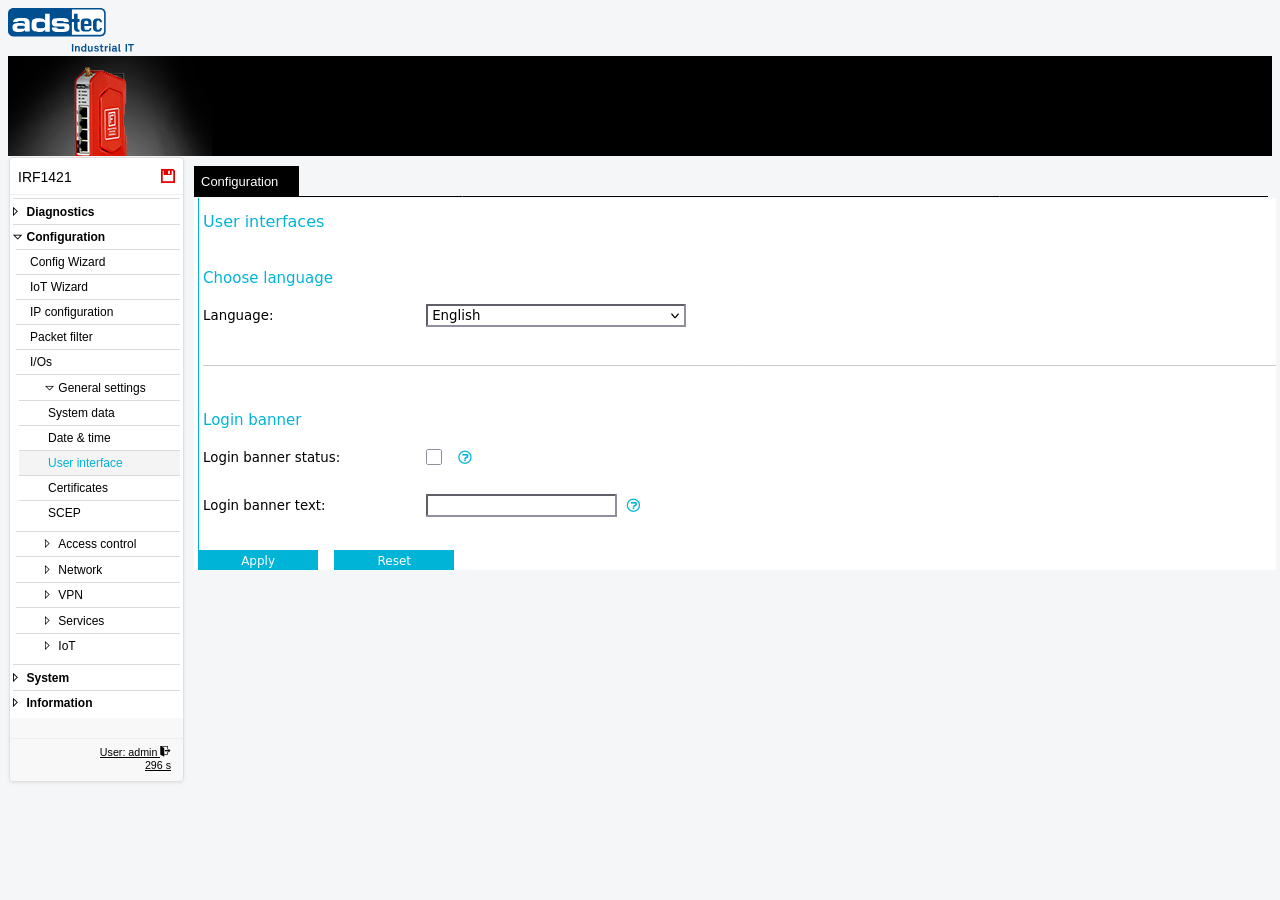
The User interface page controls display and localization settings for the web-based management interface of the IRF1000. It allows the administrator to switch the language of the entire web interface between English and German, and to configure a login banner that is shown to all users on the login page before they authenticate. The login banner is useful for displaying legal notices, acceptable-use policies, or site-specific information. Changes take effect immediately after clicking Apply, but must be saved persistently via the Save page to survive a reboot.
Settings
Choose language
- Language
- Selects the display language for the entire web interface. Available options are English and Deutsch (German). After changing the language and clicking Apply, all menu items, labels, tooltips, and system messages are displayed in the selected language. This setting affects only the web interface — it does not change the system locale or log message language.
Login banner
- Login banner status
- Enables the display of a custom banner text on the login page. When this checkbox is activated, the text entered in the Login banner text field is shown to users before they log in. When deactivated, no banner is displayed.
- Login banner text
- The text that is shown on the login page when the login banner is enabled. This field accepts free-form text and can be used for legal notices, security warnings, or organizational messages that users should read before authenticating.
Security
Use the login banner to display a legal access warning or acceptable-use policy. In regulated environments, presenting such a notice before authentication can be a compliance requirement (e.g., IEC 62443 or organizational security policies). Keep the banner text concise and clearly state that unauthorized access is prohibited.