HTTP Proxy
Navigation: Configuration > Network > HTTP Proxy
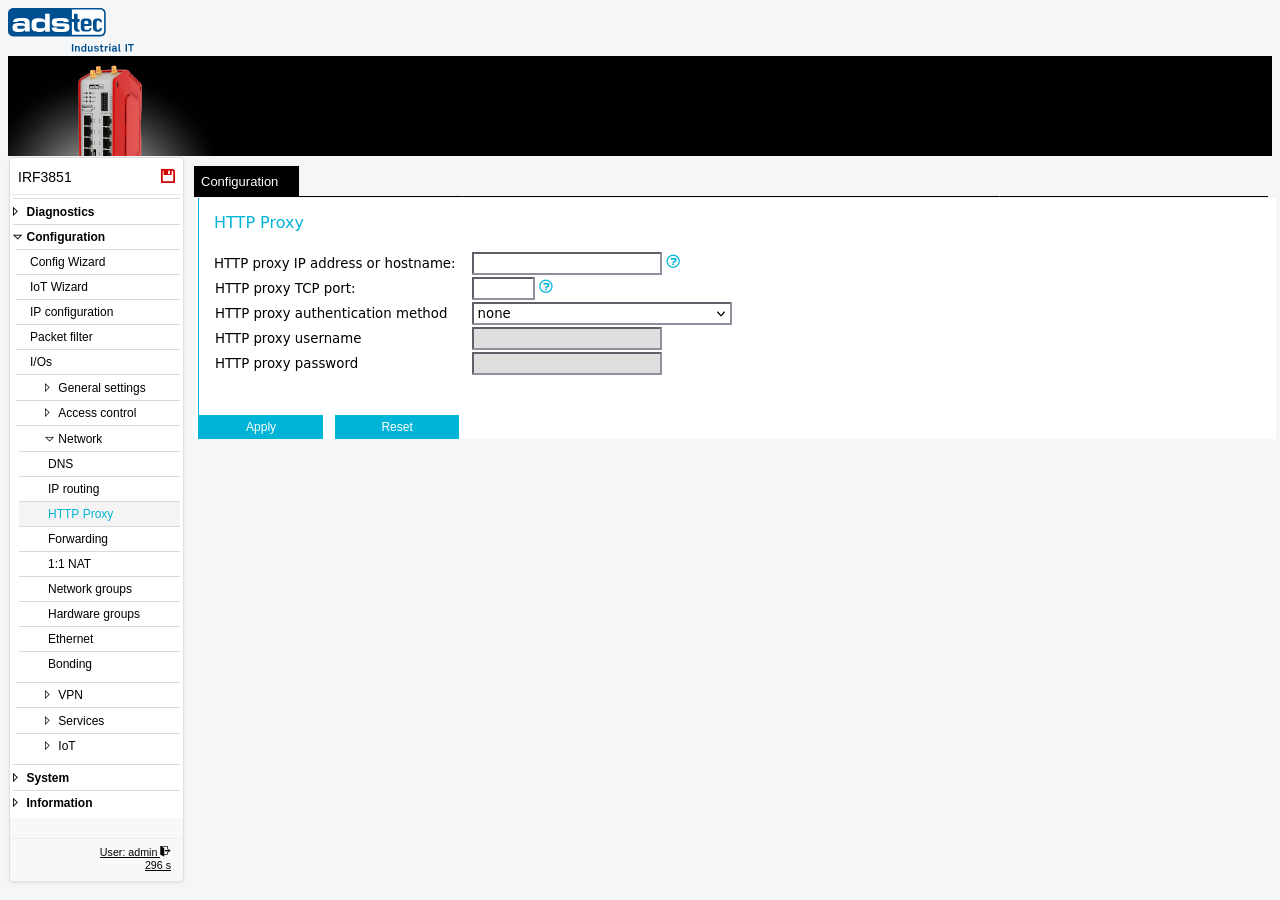
The HTTP Proxy page configures the device to route its own outgoing HTTP and HTTPS traffic through an upstream proxy server. This is required in network environments where direct internet access from the device is blocked and all traffic must pass through a corporate proxy. Services on the device that rely on external connectivity — such as software updates, Big-LinX cloud connections, or certificate validation — will use the configured proxy to reach their destinations. The proxy setting applies only to traffic originating from the device itself; it does not affect traffic passing through the firewall from LAN clients. If the proxy requires authentication, a username and password can be specified on this page.
Prerequisites
- Obtain the IP address or hostname and TCP port of the proxy server from your network administrator.
- If the proxy address is specified as a hostname, ensure that a valid DNS configuration is in place on the DNS page so that the device can resolve the name.
- If the proxy requires authentication, have the proxy username and password available.
Settings
- HTTP proxy IP address or hostname
- The IP address or hostname of the upstream proxy server. If a hostname is used, a valid DNS configuration must be in place on the DNS page.
- HTTP proxy TCP port
- The TCP port number of the proxy server. In most cases, port 8080 is used.
- HTTP proxy authentication method
-
Selects the authentication method used to connect to the proxy server.
none: No authentication is required. The username and password fields are ignored.
basic: The device authenticates with the proxy using HTTP Basic authentication. Username and password are transmitted in Base64 encoding.
NTLM: The device authenticates using the NTLM challenge-response protocol, commonly used in Windows/Active Directory environments.
- HTTP proxy username
- The username for proxy authentication. Only applicable when the authentication method is set to basic or NTLM.
- HTTP proxy password
- The password for proxy authentication. Only applicable when the authentication method is set to basic or NTLM.
Security
When using HTTP Basic authentication, credentials are transmitted in Base64 encoding, which does not provide encryption. In security-sensitive environments, prefer NTLM or ensure that the connection between the device and the proxy server is confined to a trusted network segment. Disable the HTTP proxy configuration entirely if direct internet access is available and no proxy is required, to avoid unnecessary credential exposure.