State
Navigation: Configuration > IoT > Sources > OPC UA sources > State
The State tab displays the current connection status and operational details of all configured OPC UA sources. It provides a comprehensive overview of the connection state to each OPC UA server, including subscription and monitoring statistics as well as error information. This read-only view is useful for verifying that OPC UA connections are established and data is being collected, and for diagnosing communication problems. The OPC UA sources themselves are configured on the OPC UA sources configuration tab.
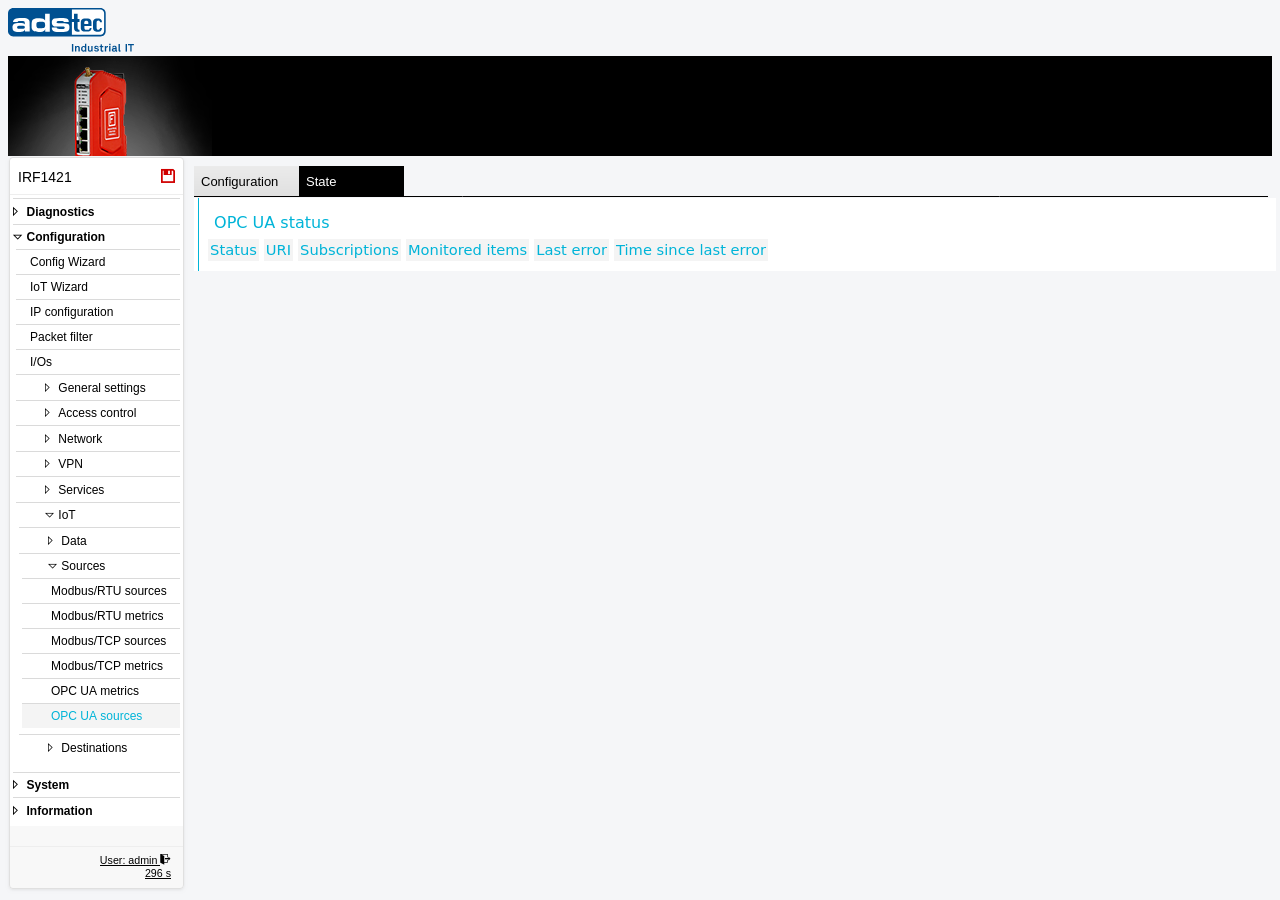
Displayed columns
- Status
- The current connection state of the OPC UA source. This indicates whether the device has successfully established a session with the remote OPC UA server and is able to receive data.
- URI
- The server URI of the OPC UA source as configured on the OPC UA sources page (e.g.,
opc.tcp://hostname:port/namespace). This identifies which OPC UA server the status information refers to. - Subscriptions
- The number of active OPC UA subscriptions established with the server. Subscriptions define the monitoring parameters under which the server sends data change notifications to the IRF1000. A value greater than zero indicates that the device has successfully set up monitoring with the server.
- Monitored items
- The total number of OPC UA nodes currently being monitored through the active subscriptions. This value corresponds to the number of metrics mapped to this OPC UA source on the OPC UA metrics page. If the count is lower than expected, some metric mappings may be invalid or the server may not support all requested nodes.
- Last error
- A description of the most recent error encountered during communication with the OPC UA server. If no errors have occurred, this field remains empty. Error messages can help identify authentication failures, network issues, or configuration mismatches.
- Time since last error
- The elapsed time since the last error occurred. This helps assess the stability of the connection -- a long duration indicates a stable connection, while a short duration suggests ongoing or recent problems.
Note
If the table is empty, no OPC UA sources have been configured on the OPC UA sources page. Configure at least one source with valid server credentials and apply the settings for status information to appear here.