OpenVPN
Navigation: Configuration > VPN > OpenVPN
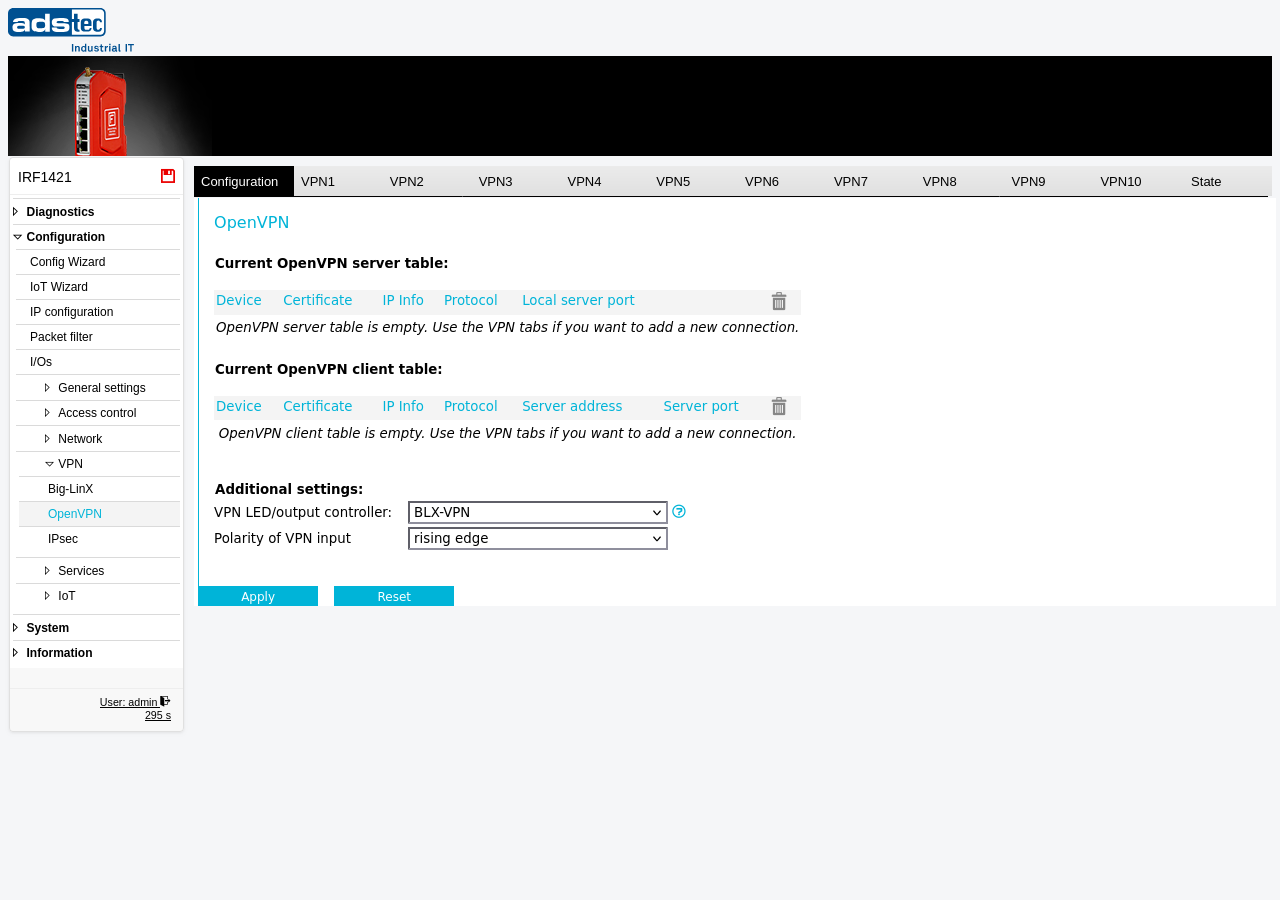
The OpenVPN page manages site-to-site and client-to-server VPN tunnels using the OpenVPN protocol. The device supports up to ten independent OpenVPN connections (VPN1 through VPN10), each configurable as either a server or a client. OpenVPN provides a flexible, certificate-based VPN solution suitable for connecting remote sites or allowing secure remote access to the LAN network behind the firewall. Each VPN tunnel is configured on its own tab, where you specify the role (server or client), the certificate, the protocol (UDP or TCP), the tunnel IP addresses, and the remote endpoint. The main Configuration tab displays summary tables of all configured server and client connections and provides additional global settings. Traffic through VPN tunnels is subject to Packet filter rules. Changes take effect after clicking Apply settings, but must be saved persistently via the Save page to survive a reboot.
Prerequisites
- At least one certificate suitable for OpenVPN must be uploaded on the Certificates page. Both the server and client require valid certificates signed by the same Certificate Authority (CA).
- The network topology and IP addressing for the VPN tunnel endpoints must be planned. Ensure that the tunnel IP subnets do not overlap with the existing LAN or WAN subnets.
- If the device acts as an OpenVPN client, the address and port of the remote OpenVPN server must be known.
Settings
VPN tunnel tabs (VPN1 -- VPN10)
Each tab configures one OpenVPN tunnel instance. Select the desired tab to configure the corresponding tunnel.
- Device
- The role of this device in the VPN tunnel. Select Server to accept incoming connections or Client to initiate a connection to a remote server.
- Certificate
- The certificate used for authentication and encryption of this VPN tunnel. Only certificates uploaded on the Certificates page are available for selection.
- IP Info
- The IP address configuration for the tunnel interface, including the local and remote tunnel endpoint addresses.
- Protocol
- The transport protocol used for the VPN tunnel. Available options are UDP and TCP. UDP is recommended for most deployments due to lower overhead.
- Local server port (server mode)
- The local port number on which the OpenVPN server listens for incoming connections.
- Server address (client mode)
- The IP address or hostname of the remote OpenVPN server to connect to.
- Server port (client mode)
- The port number of the remote OpenVPN server.
Additional settings
- VPN LED/output controller
- Selects which VPN interface controls the state of the VPN LED and the digital output function VPNUP. The LED indicates the connection state of the selected interface: off -- connection disabled; blinking -- connecting; on -- connected.
- Polarity of VPN input
- Configures the polarity of the VPN digital input signal (rising edge or falling edge).
Security
Use strong certificates with adequate key lengths for OpenVPN tunnels. Avoid using the same certificate for multiple tunnels. Regularly rotate certificates before they expire and revoke compromised certificates immediately on the Certificates page. Only enable VPN tunnels that are actively required. Disable unused tunnel instances to reduce the attack surface. Ensure that Packet filter rules restrict traffic through VPN tunnels to only the necessary protocols and destinations in accordance with IEC 62443 zone and conduit requirements.